Different languages. Real friends.
You only talk with people you both chose. Chats and video calls are translated with subtitles.
Starting in Korea and Thailand.
- Coming soon to the App Store
- Coming soon to Google Play
- Download the Android app directly (APK)
When you open the APK, your phone asks before installing. Allow installs from this source in Settings.
You must be 18 or older
We're in a trial run. Until SMS sign-in is ready, you can look around with a demo account.
How you meet
Send interest
Look through profiles and their prompts, then send interest to someone you’d like to know. Add a message if you want. It will be translated into their language.
Both accept
It’s a match only when they accept too. Until then, nobody can message you.
Translated chat
Write in your own language and they read it in theirs. Tap Show original any time to see the exact words.
If you come to Bangkok, I’ll take you to my favorite chicken rice place.
ถ้ามากรุงเทพฯ จะพาไปร้านข้าวมันไก่ร้านโปรด
Translated message with the original shown Subtitled video call
After you each send 3 messages, you can request a video call. The person answering picks how it starts, and their words appear as subtitles in your language. New accounts start with 5 minutes of subtitle time.
Your profile says what you’re looking for: Friends, Language & culture, or Open to dating. Friendship comes first here.
Inside the app
Real screens from the app. Scroll sideways to see more.
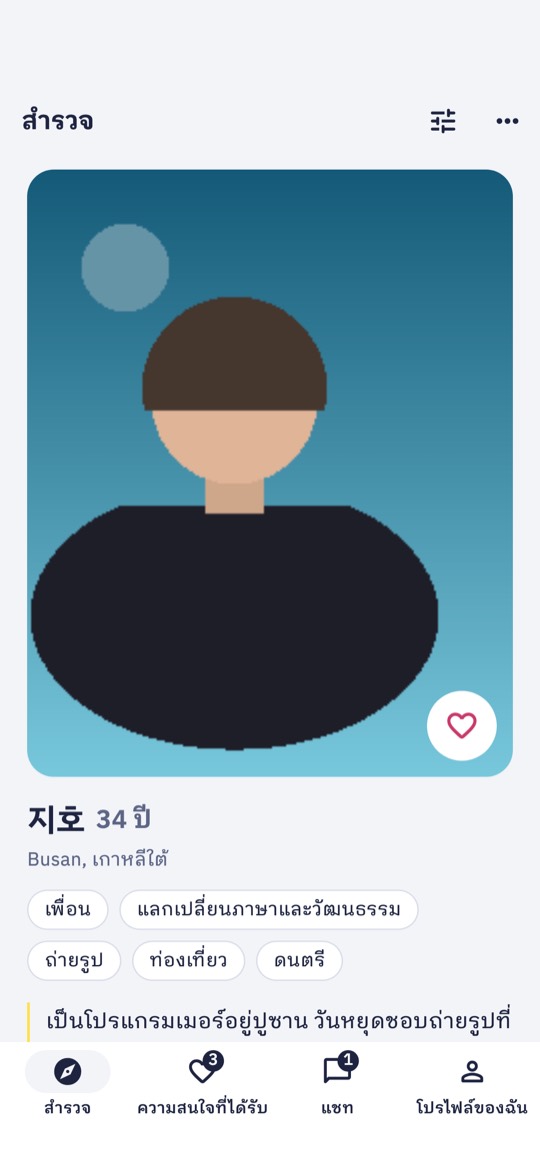
In Discover, look through photos and prompts, and send interest when someone stands out. 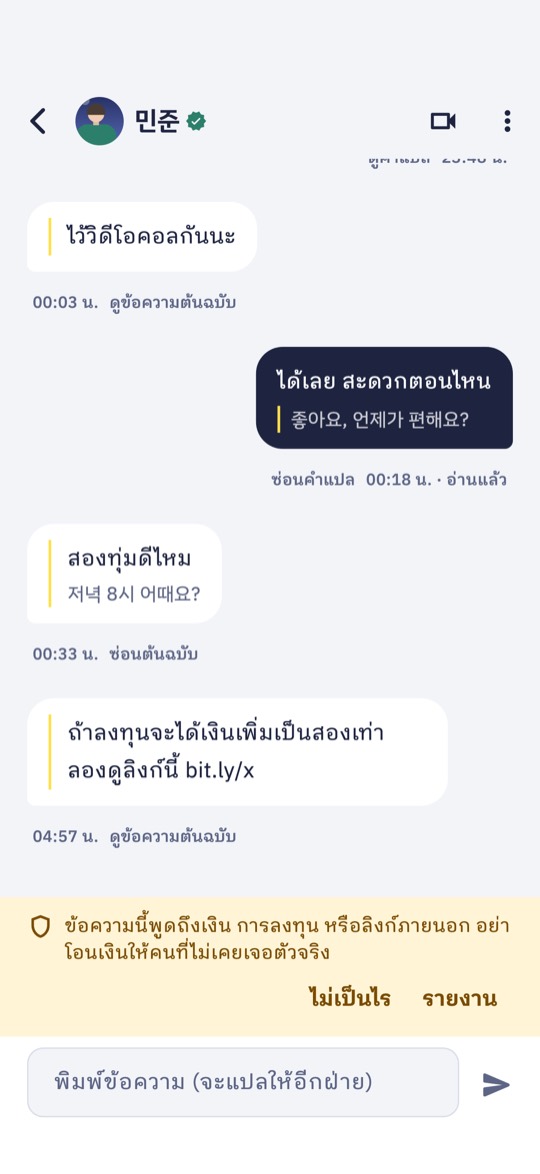
Translated chat. Messages arrive in your language, and you can see the original. Talk of money or outside links gets a warning. 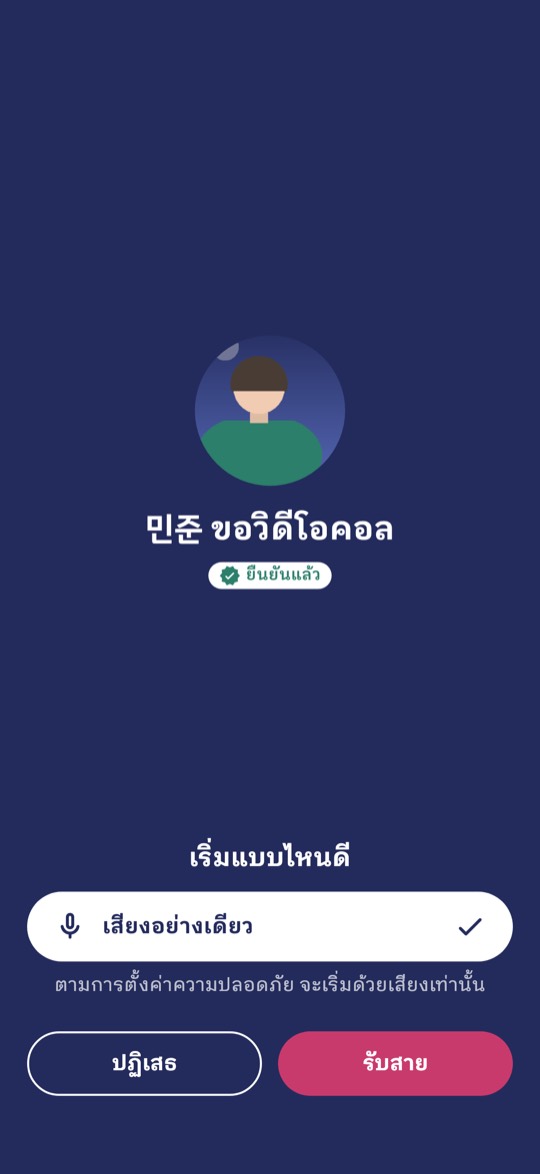
When someone requests a video call, you choose how to start: voice only, start blurred or start with video. 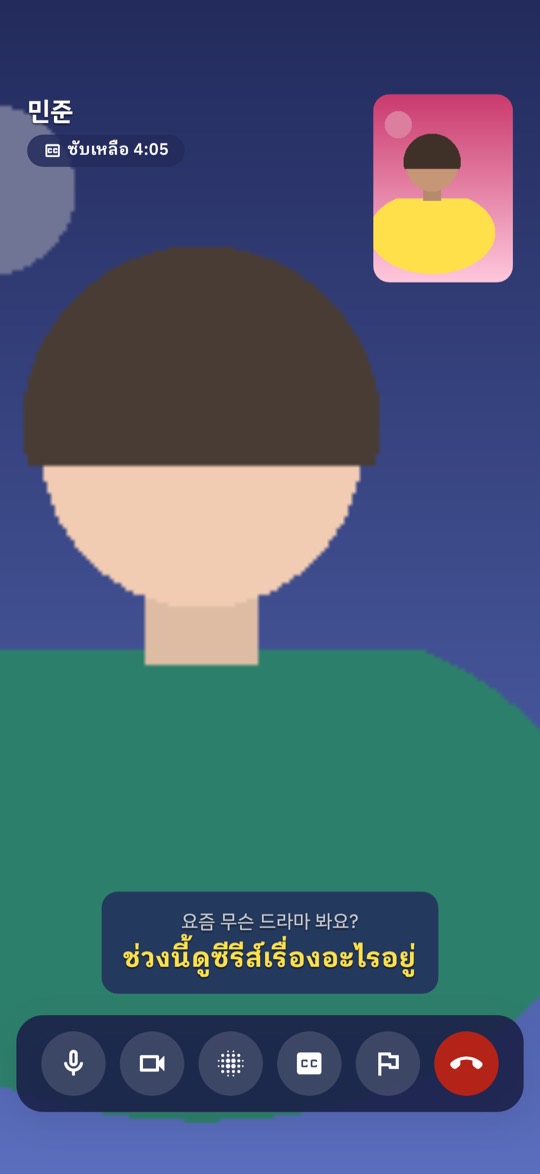
Subtitled video call. What they say appears as a yellow translated subtitle under the original. 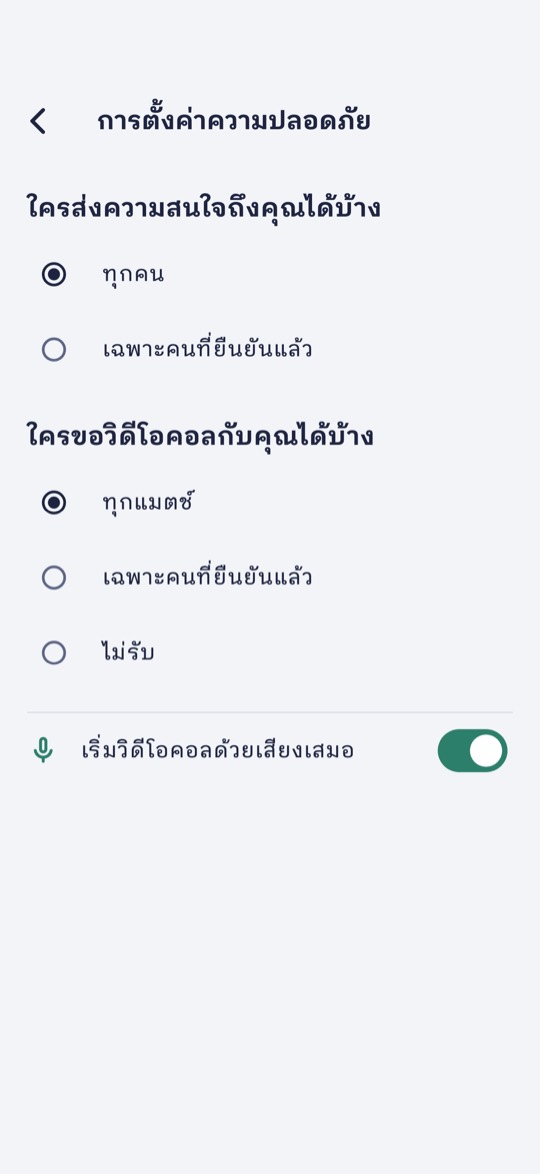
In Safety settings, choose who can send you interest and who can request a video call. 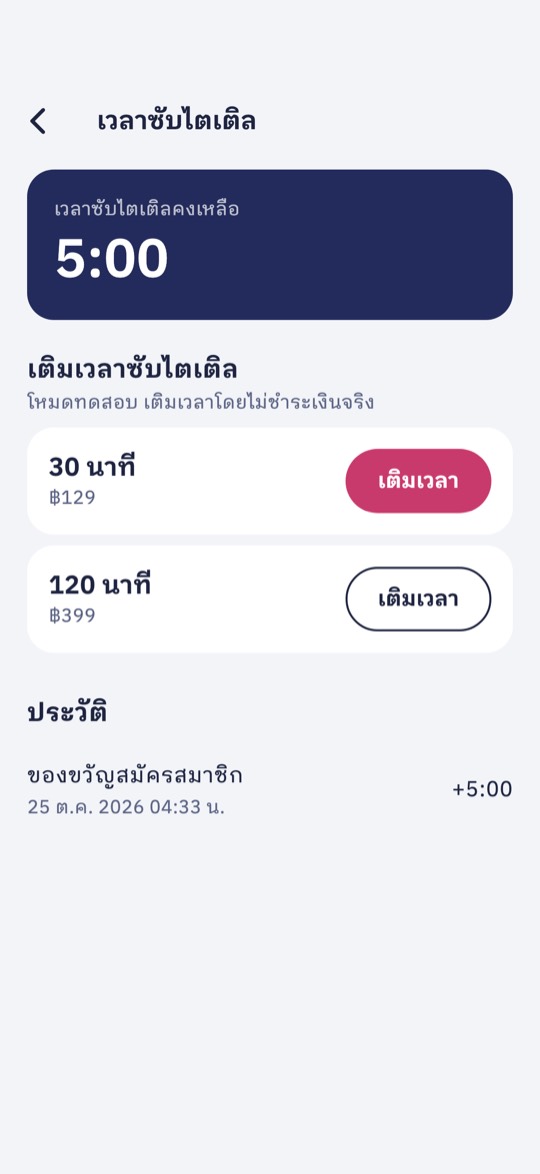
Subtitle time is only used for video call subtitles. You get 5 minutes when you sign up.
Built so you can relax
Talking to someone new from another country takes trust. These protections are on from your first day.
Read the safety guideOnly people you both chose
A chat opens only after you accept someone’s interest. You decide who can send you interest at all.
Calls come after chatting
Nobody can request a video call until you’ve each sent 3 messages, and you can limit calls to verified people.
Start with voice or blurred
Whoever answers chooses Voice only, Start blurred or Start with video. You can also set every call to start with voice only.
Selfie check
Verified people carry a badge on their profile. The selfie is only used to check it’s them and never appears on a profile.
Scam warnings
When a message mentions money, investing or outside links, you see a warning with a Report button right there.
Reports reviewed within 24 hours
Report or block from any chat or call. Blocking ends the match quietly. They won’t be notified.
Meet someone who speaks another language
Sign up with your phone number, add two photos and say hello in your own language.
- Coming soon to the App Store
- Coming soon to Google Play
- Download the Android app directly (APK)
When you open the APK, your phone asks before installing. Allow installs from this source in Settings.
You must be 18 or older